



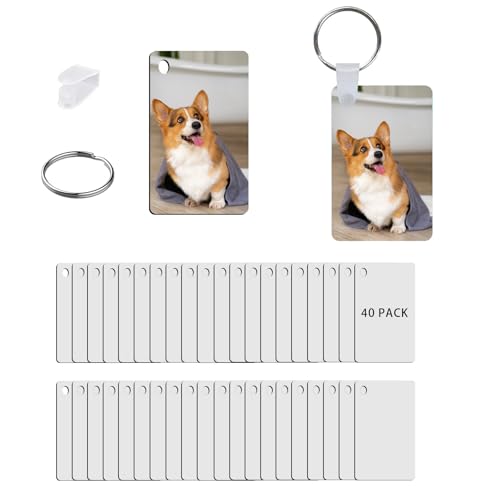



Sublimation bonds ink into polyester and coated items, so the print will not crack or peel because there is nothing sitting on the surface. It is the go to method for mugs, sports fabrics and photo panels.
For a beginner the main choice is between a printer that ships ready to go and a refillable tank printer you fill with sublimation ink. This guide covers both routes and the mistakes that waste the most blanks.
Quick answer
If you want it to just work, the Sawgrass SG500 ships with matched ink and colour profiles. For the lowest cost start, a refillable Epson EcoTank ET-2850 filled with sublimation ink handles mugs and small apparel well once profiled.
Best sublimation printers: comparison
| Printer | Best for | Max size | Setup | Verdict |
|---|---|---|---|---|
| Sawgrass SG500 | Beginners who want it to work | A4 | Ready to go | Best overall |
| Epson EcoTank ET-2850 | Lowest cost start | A4 | Convert with sub ink | Best budget |
| Epson EcoTank ET-15000 | Larger prints | A3 | Convert with sub ink | Best for A3 |
| Sawgrass SG1000 | Ready to go A3 | A3 | Ready to go | Best pro A3 |
Important: sublimation only works on polyester fabric or coated blanks. It will not bond to plain cotton.
How we chose these sublimation printers
1. Colour management
Sublimation colours shift from screen to pressed result. A printer with a known profile saves a lot of wasted blanks, which is why ready to go systems suit beginners.
2. Setup effort
A dedicated sublimation printer removes the conversion step. A converted tank printer costs less but needs profiling and care.
3. Print size
A4 covers mugs and small apparel. A3 opens up larger shirts, panels and multi item layouts.
4. Running cost
Refillable tanks lower ink cost per print, which matters once volume grows.
1. Sawgrass SG500: best ready to go
Sawgrass SG500 Sublimation Printer
Best for: beginners who want reliable colour from day one
- Matched sublimation ink
- Built in colour profiles
- No conversion step
- Strong support ecosystem
Main drawback: costs more upfront than a converted tank printer
Check Latest Price on AmazonThe SG500 is the least stressful way into sublimation. Because the ink and profiles are matched, you skip the trial and error that trips up beginners and get consistent colour on mugs and small apparel quickly.
2. Epson EcoTank ET-2850: best budget route
Epson EcoTank ET-2850
Best for: mugs and A4 apparel on a budget
- Low cost entry point
- Refillable tanks lower ink cost
- Great for mugs once profiled
- Widely available
Main drawback: needs conversion and colour profiling to get right
Check price on AmazonMany people start sublimation by filling an EcoTank ET-2850 with sublimation ink. It is a low cost path that works well for mugs and small items, as long as you are willing to profile your colours.
3. Epson EcoTank ET-15000: best for A3
Epson EcoTank ET-15000 A3 Printer
Best for: larger apparel and panel prints
- A3 print size
- Refillable tanks
- More surface area per press
- Good value for the width
Main drawback: A3 blanks and a larger press add to the total cost
Check Latest Price on AmazonIf you want bigger shirts and panels, an A3 tank printer like the ET-15000 gives you more printable area per press once your profiles are dialled in.
4. Sawgrass SG1000: best ready to go A3
Sawgrass SG1000 Sublimation Printer
Best for: a ready to go A3 workflow
- A3 sublimation, no conversion
- Matched ink and profiles
- Reliable colour at size
- Professional support
Main drawback: a bigger investment than a converted A3 tank printer
View options on AmazonThe SG1000 brings the ready to go Sawgrass experience to A3. It is the choice when you want larger prints without the tinkering of a converted printer.
Sawgrass or converted EcoTank?
A dedicated Sawgrass printer ships ready with matched ink and profiles, which removes guesswork. A converted EcoTank costs less and lowers ink cost per print, but you take on conversion and colour profiling. Beginners who value simplicity lean Sawgrass, while budget focused makers who enjoy tinkering lean EcoTank.
What can you sublimate on?
Sublimation needs polyester fabric or a poly coating. That covers sublimation ready mugs, poly shirts, mouse mats, coasters, phone cases and photo panels. It will not work on plain cotton, so plan your blanks before your first print.
Frequently asked questions
Q. What is the best sublimation printer for beginners?
The Sawgrass SG500 is the easiest because it ships ready with matched ink and colour profiles. A converted Epson EcoTank ET-2850 is the lowest cost route if you are happy to profile your colours.
Q. Can you use a normal Epson printer for sublimation?
Some Epson EcoTank models are commonly filled with sublimation ink. This works well for mugs and small items, but it needs colour profiling and cannot be switched back to normal ink easily.
Q. Does sublimation work on cotton?
No. Sublimation bonds to polyester and poly coated items only. For cotton you would use DTF or heat transfer vinyl instead.
Q. Do I need a heat press for sublimation?
Yes. A flat heat press handles shirts, panels and coasters, and a mug press or convection method handles mugs. The press bonds the ink into the blank.
Q. Why do my sublimation colours look different?
Sublimation colours shift from screen to pressed result. A printer with a known profile, or a little test time and an ICC profile, brings them into line and saves wasted blanks.
Q. A4 or A3 sublimation printer?
A4 covers mugs and small apparel and is the usual starting point. A3 opens up larger shirts and panels, but the blanks and press also need to be larger.
About this guide
Written by the PrintingPilot Editorial. We cover printing equipment, production workflows and the practical side of running a print business.
How this guide was created: products were compared using current manufacturer specifications, product documentation and retailer listings. Unless stated otherwise, recommendations are editorial and not hands-on laboratory tests.
Rather have it printed for you?
Browse rated printing companies near you instead of buying the kit yourself.
Find a printing companyAs an Amazon Associate, PrintingPilot earns from qualifying purchases. Links to products may be affiliate links, at no extra cost to you.